 Somerled
TocSmith
Forge useful navigation into PDFs that shipped without it. TocSmith reads the printed table of contents in a manual or book and writes a finished copy with a sidebar outline, leaving the source PDF untouched.
What it is
I like PDFs to include bookmarks. The problem is that manuals and books downloaded from the web often have selectable text and a printed table of contents, but no usable sidebar outline. TocSmith turns that existing structure into a finished, navigable copy.
The matching is deliberately conservative. A printed page number isn’t always the physical PDF page number, so TocSmith prefers matching the TOC text to the heading text on the destination page. If a PDF has no text layer, it stops instead of guessing; scan-only documents need OCR first.
How it works
- Check the text layer. No extractable text, no guessing: it stops.
- Find the contents. It locates the likely table-of-contents pages and pulls out the major sections, subsections and appendices.
- Match each entry to its heading in the document, not just to the printed page number.
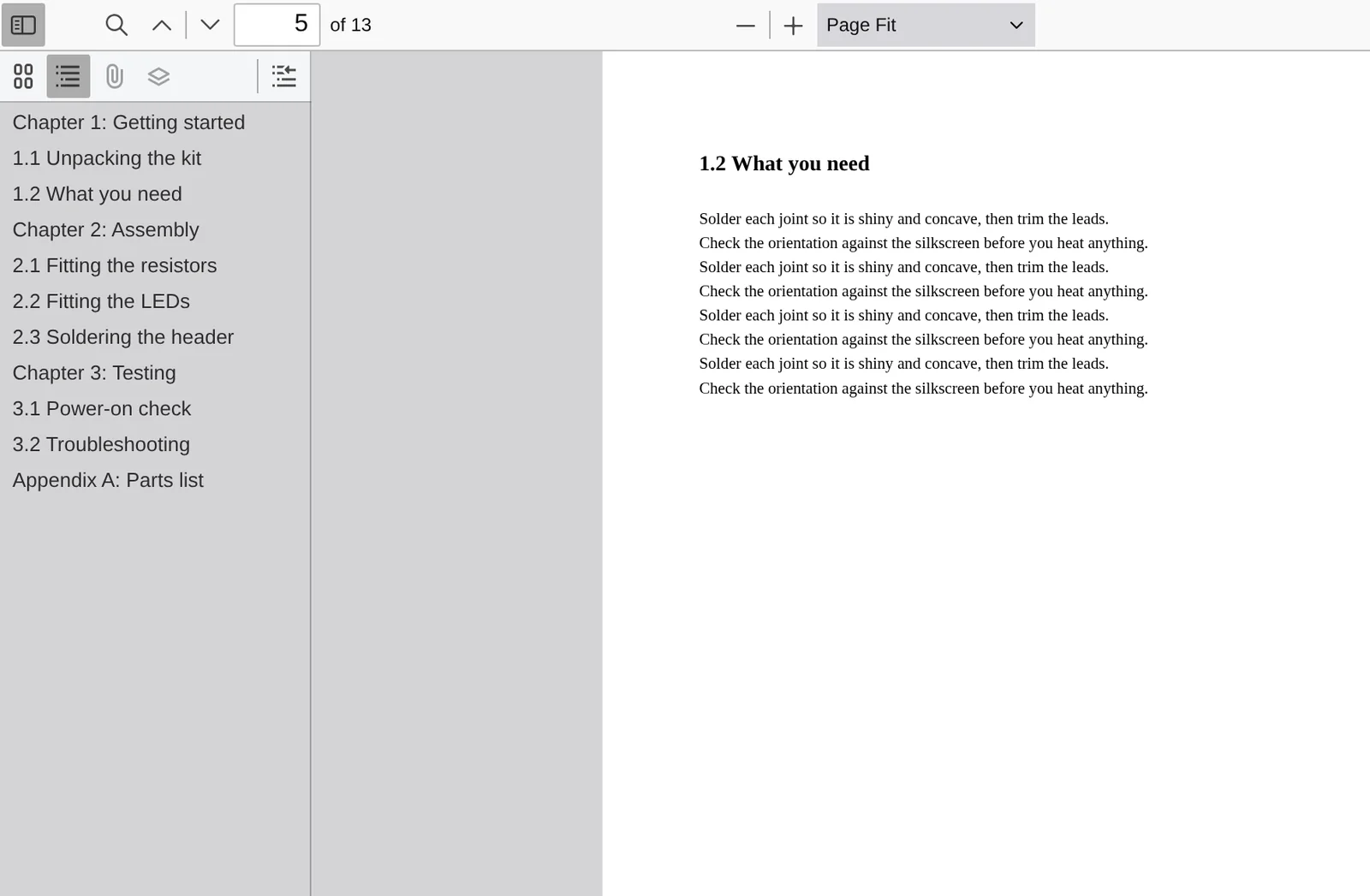
- Write the outline. Entries it is sure of go into a nested sidebar outline; the rest are skipped rather than linked to the wrong place.
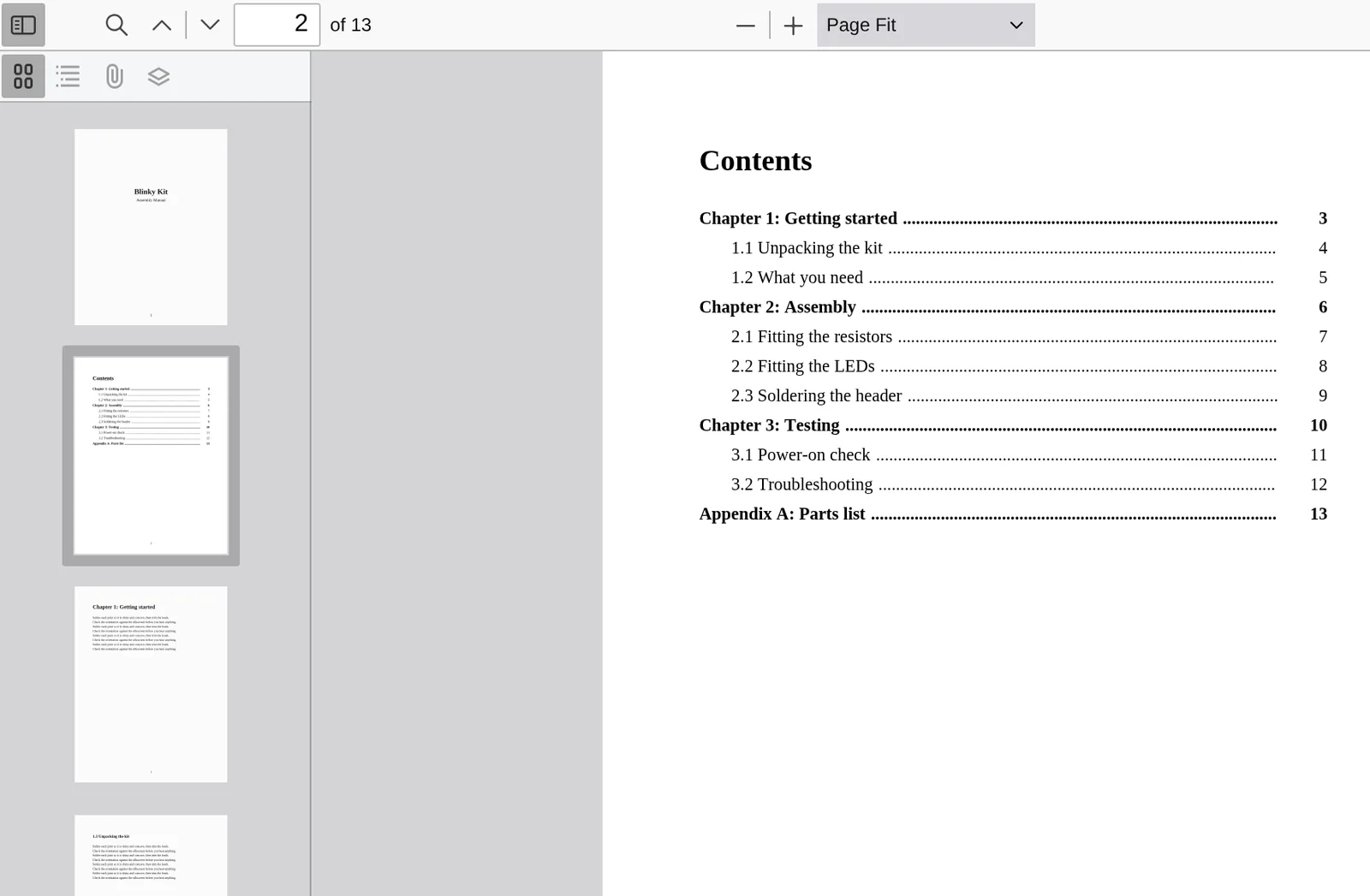
- Make the printed contents clickable. Each bookmarked entry also gets an invisible link over its line on the Contents page, so clicking it jumps to the same place as its bookmark. Lines whose position isn’t clear are left alone.
- Finish the copy. It can crop oversized pages when there are credible crop marks, straighten rotated pages, and add a footer watermark (
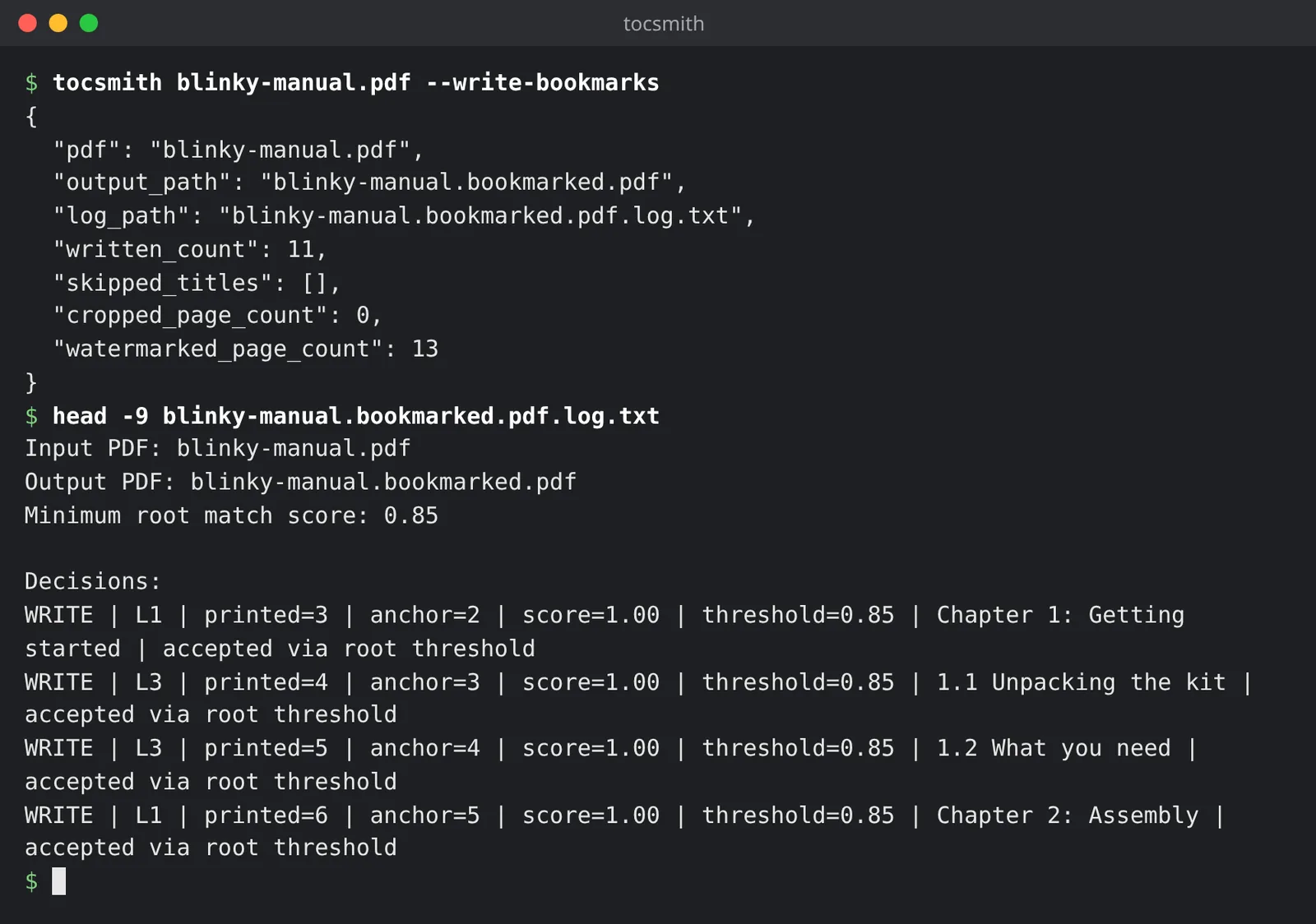
--watermark "My footer", or--watermark ""for none; the default isTocSmith). - Explain itself. A plain-text log lists every entry it accepted or skipped, and why.
You get manual.bookmarked.pdf and manual.bookmarked.pdf.log.txt next to the original, which is never modified. Without --write-bookmarks (or --output), it only prints a JSON analysis and writes nothing.
Screenshots
A small sample manual I made for these shots: 13 pages with a printed contents page and no bookmarks.
Status and limits
- 1.1.0 (build 348). The release version is 1.1.0; the build number keeps the project’s longer experimental history.
tocsmith --versionshows both. 1.1.0 adds the clickable contents entries. - I’ve tested it on a real 214-page LaserJet service manual. It came out with all 101 contents entries (24 sections and 77 subsections), nothing skipped.
- It’s a heuristic tool. Real PDFs are messy: text extraction can damage ligatures, headings repeat, and TOC indentation isn’t always reliable. That’s why it logs its decisions and skips anything it isn’t sure of.
- Scanned PDFs need OCR first.
Download and install
With Homebrew, on macOS or Linux:
brew install SomerledDesign/tap/tocsmith
That installs TocSmith and its one dependency (pypdf) in their own environment, plus the man page: man tocsmith. The formula pins the v1.1.0 source archive, SHA-256 d78c3edca4f302fc231eb9429dde5d061421b56f74831426d10198e52041a6fb.
From a checkout (Python 3.9 or newer), the launcher sets up its own virtual environment on the first run:
./tocsmith "/path/to/manual.pdf" --write-bookmarks
On Windows, from PowerShell:
py -m venv .venv
.venv\Scripts\python -m pip install -e .
.venv\Scripts\tocsmith "C:\path\to\manual.pdf" --write-bookmarks
Feedback
If it skips entries on a PDF you think it should handle, I’d like to see the log. Please open an issue on GitHub, with the log text and, if you can share it, the PDF.
License
TocSmith is free software under the GNU General Public License, version 3 or later (GPL-3.0-or-later). It comes with no warranty. See the LICENSE. Copyright © 2026 Somerled Design. It’s built on pypdf.