 Somerled
ArcSync
A small command-line tool that archives a macOS Photos library, or a plain folder of photos, to a hybrid CD/DVD/Blu-ray .iso: the real files filed by capture date, plus a static HTML gallery you can browse straight off the disc.
Win32 asm photo-CD tools, 1998; this is that program after the API grew up. No GUI, a tiny binary, a man page, and a Homebrew formula. It runs on macOS 12 or later and only uses what ships with the system, plus /usr/bin/hdiutil to write the image.
What it is
It’s the 2026 terminal version of those late-90s “burn my pictures to a CD with a browser index” programs.
Optical media is still a useful write-once archive: it’s offline, and it stays readable for decades if the filesystem is boring (ISO 9660 + Joliet + UDF + HFS+). Photos.app hides the originals inside a package and a Core Data database. ArcSync gives you:
- The real files, named sanely and filed by capture date.
- A human-browsable gallery that still looks like your albums and folders.
- An image you can burn with Disk Utility,
hdiutil burnor Windows Image Burner.
That’s all it does.
How it works
- Pick a source. By default it reads your Photos library;
--diruses a plain folder (a NAS, a RAID, a camera dump) instead. - Dry-run first.
arcsync -nshows what it found, how big the payload is and how many discs it needs, without writing anything. - Stage. Originals are copied byte-for-byte into
media/YYYY/MM/DD/, with thumbnails, album pages, a by-date page, amanifest.tsvand amissing.txt. - Write the image.
hdiutil makehybridturns the staging folder into one hybrid ISO. If it won’t fit the media,--splitmakesNAME-1.iso,NAME-2.iso, … and each disc gets its ownindex.html. - Burn it, now with
--burn(a drive is needed) or later with Disk Utility.
Media sizes
The budgets already allow for the thumbnails, the HTML and the filesystem overhead:
--media |
Budget | For |
|---|---|---|
cd |
680 MiB | 80-min CD-R |
dvd |
4300 MiB | DVD-5 / DVD-R (the default) |
dvd-dl |
7900 MiB | DVD-9 |
bd |
23000 MiB | BD-R 25 GB |
none |
no limit | one ISO of whatever size |
Without --split, a payload that’s too big stops with exit code 5 and tells you how many discs you’d need. A single file bigger than the disc is always an error.
iCloud photos
ArcSync only copies files that are already on this Mac. It doesn’t download anything from iCloud. --cloud decides what happens to photos that are only in the cloud:
--cloud |
What happens |
|---|---|
fail |
Any cloud-only original stops the run (exit 8) before anything is staged. |
skip |
Local originals only; the rest are listed in missing.txt. |
derivative |
Falls back to the local previews, tagged quality=derivative. Fine for a slideshow, not an archive. |
The 1.0.0 release defaults to skip; the current source defaults to fail. Until the next release, pass --cloud fail yourself if you want the safe behaviour. For a family library on “Optimize Mac Storage”, turn on Download Originals to this Mac in Photos, leave the Mac awake on power overnight, dry-run again in the morning, then burn. The man page has the full recipe.
What’s on the disc
index.html          landing page
open-me.html        alias of index.html
autorun.inf         Windows hint
README.txt          how to open this disc
css/style.css
thumbs/             generated JPEG thumbnails
albums/             album / folder pages
media/YYYY/MM/DD/   real files (byte-for-byte)
by-date/index.html
missing.txt
manifest.tsv
Screenshots
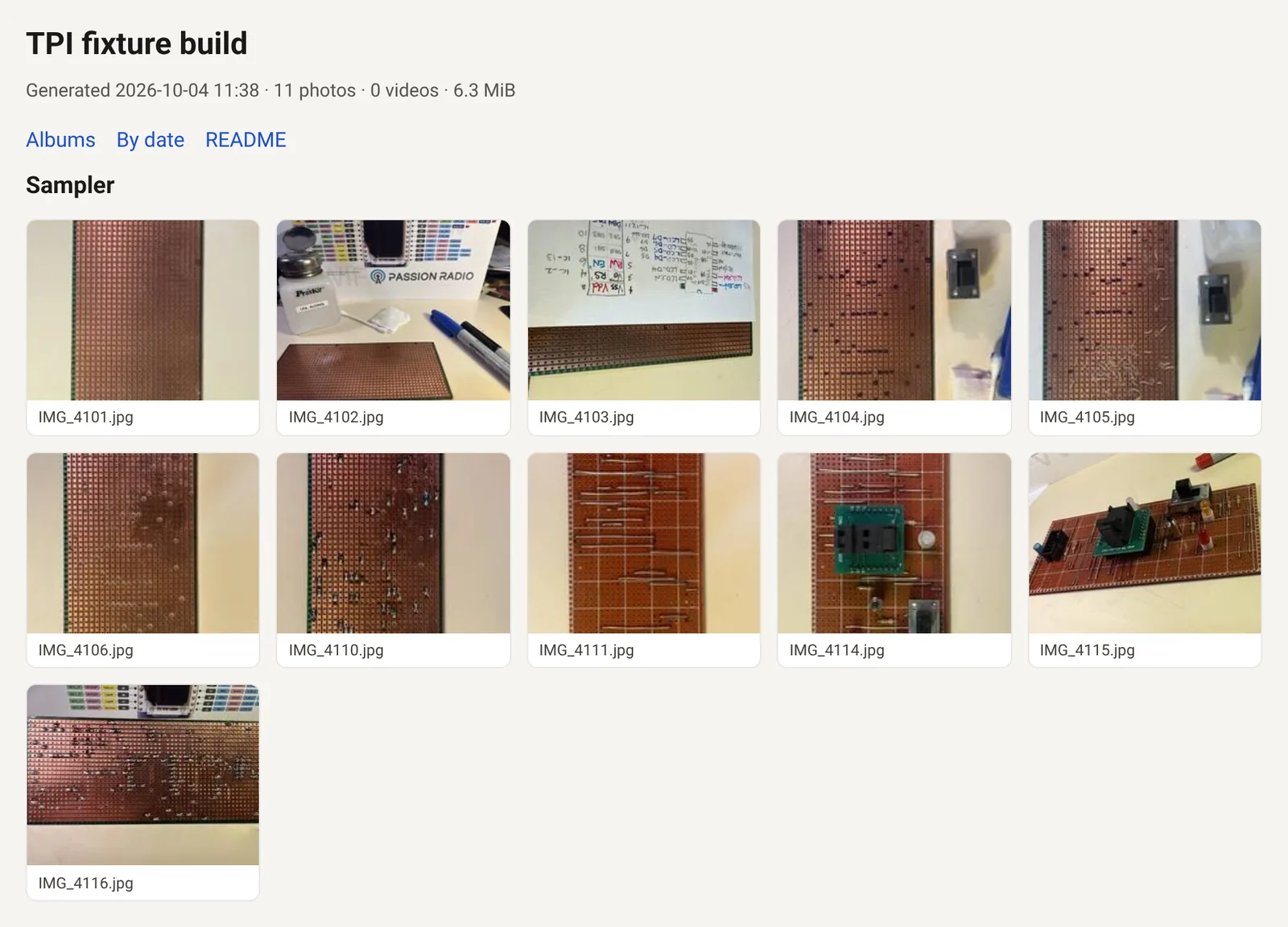
A test run on a folder of 11 of my stripboard build photos, in two subfolders.
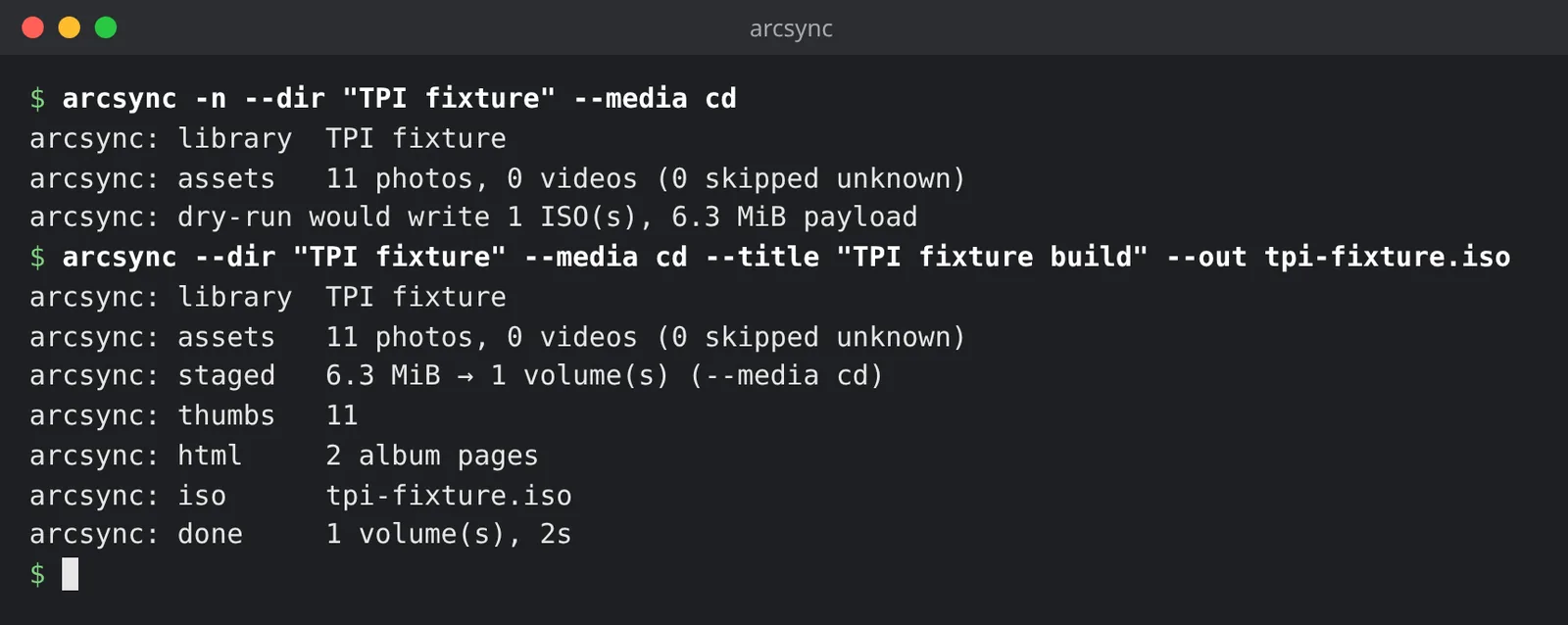
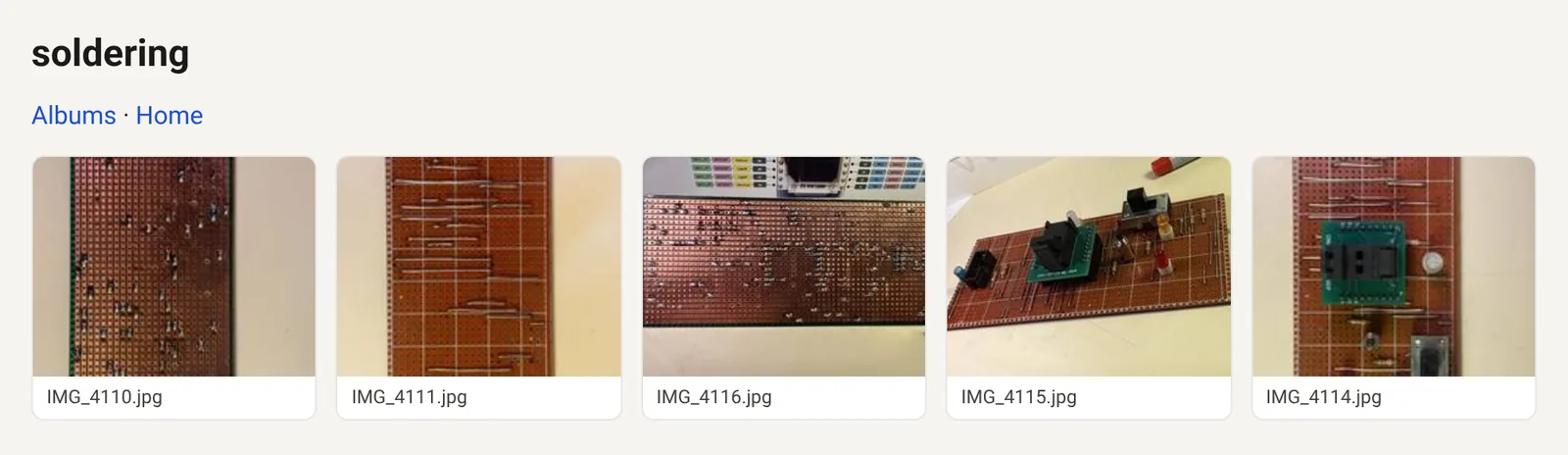
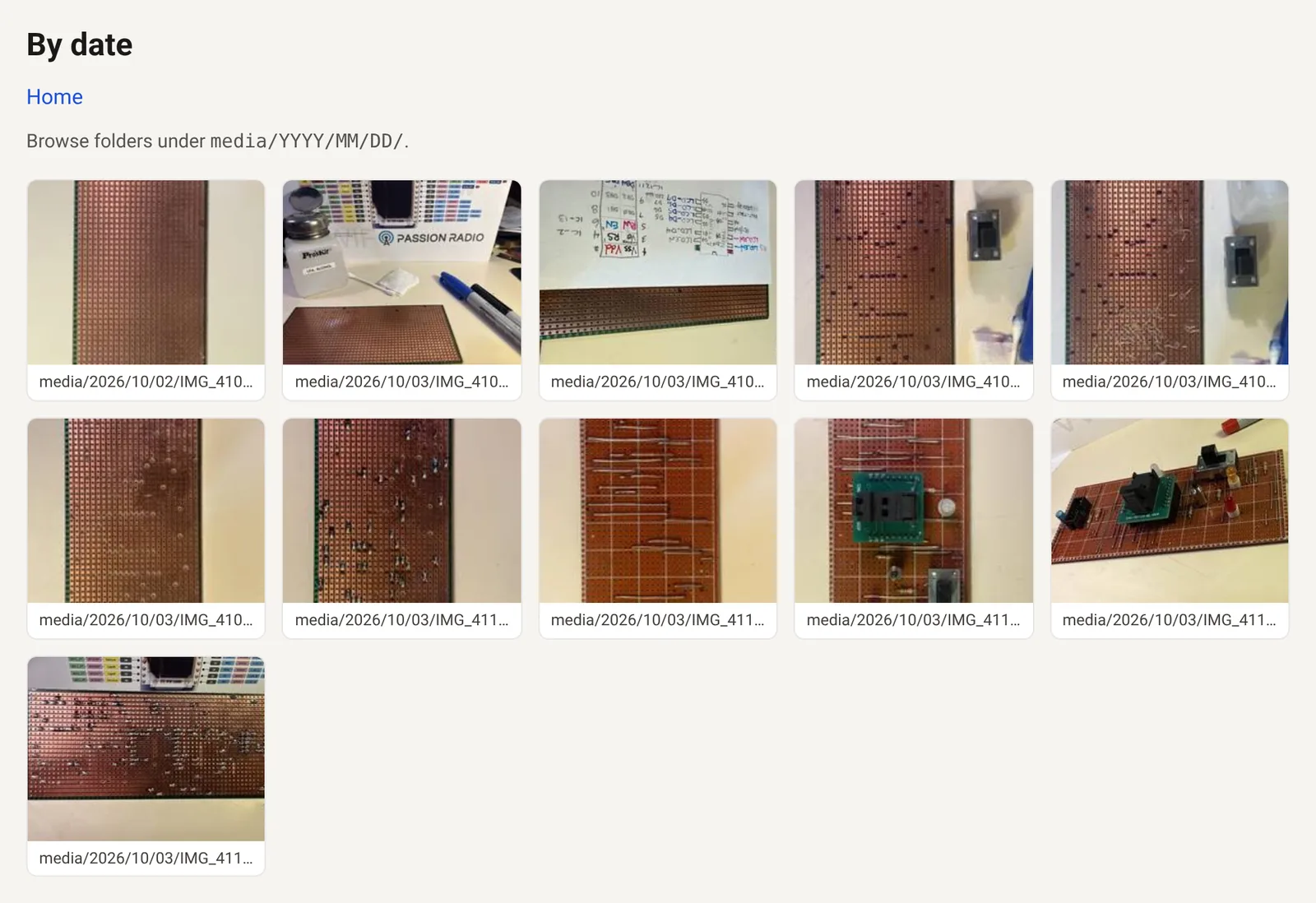
Every disc also gets a by-date page. The thumbnails link straight to the original files, which sit in plain dated folders, so you can get at them without ArcSync or Photos.
Status and limits
- 1.0.0, released September 2026. macOS 12 or later; older Photos library versions are best effort.
- No iCloud downloads inside the tool and no PhotoKit. Originals are copied byte-for-byte.
- Full Disk Access. Terminal (or iTerm) may need it to read
~/Pictures/Photos Library.photoslibrary; ArcSync can’t grant that for you. If copying the database fails on a lock, close Photos. - Small on purpose. The stripped binary has to stay under 233 KiB (
make check-size); 1.0.0 ships at about 72 KiB. - An experimental Windows (MinGW) port is in the source, for
--dironly. It isn’t in a release.
Download and install
With Homebrew:
brew tap SomerledDesign/tap
brew install arcsync
Or build it from the 1.0.0 source (it’s a handful of C files):
make
make install          # PREFIX=/usr/local by default
The release tarball, v1.0.0.tar.gz, has SHA-256 b9d9fc2e87bcf5c2bb954a75281d534eedd89531d3a988093e7b6a1744439f5f, the same as in the Homebrew formula. Then man arcsync.
A first run:
arcsync -n --cloud fail                                   # what's actually on this Mac?
arcsync --dir ~/Pictures/vacation --media dvd --split --out ~/Desktop/vac.iso
arcsync --dir /Volumes/NAS/Masters --media none --out ~/Desktop/masters.iso
Feedback
If you burn a disc with it, I’d like to hear how it went, especially with big or old Photos libraries. Please open an issue on GitHub.
License
ArcSync is under the MIT licence. See the LICENSE. Copyright © 2026 Kevin Murphy.